Overview
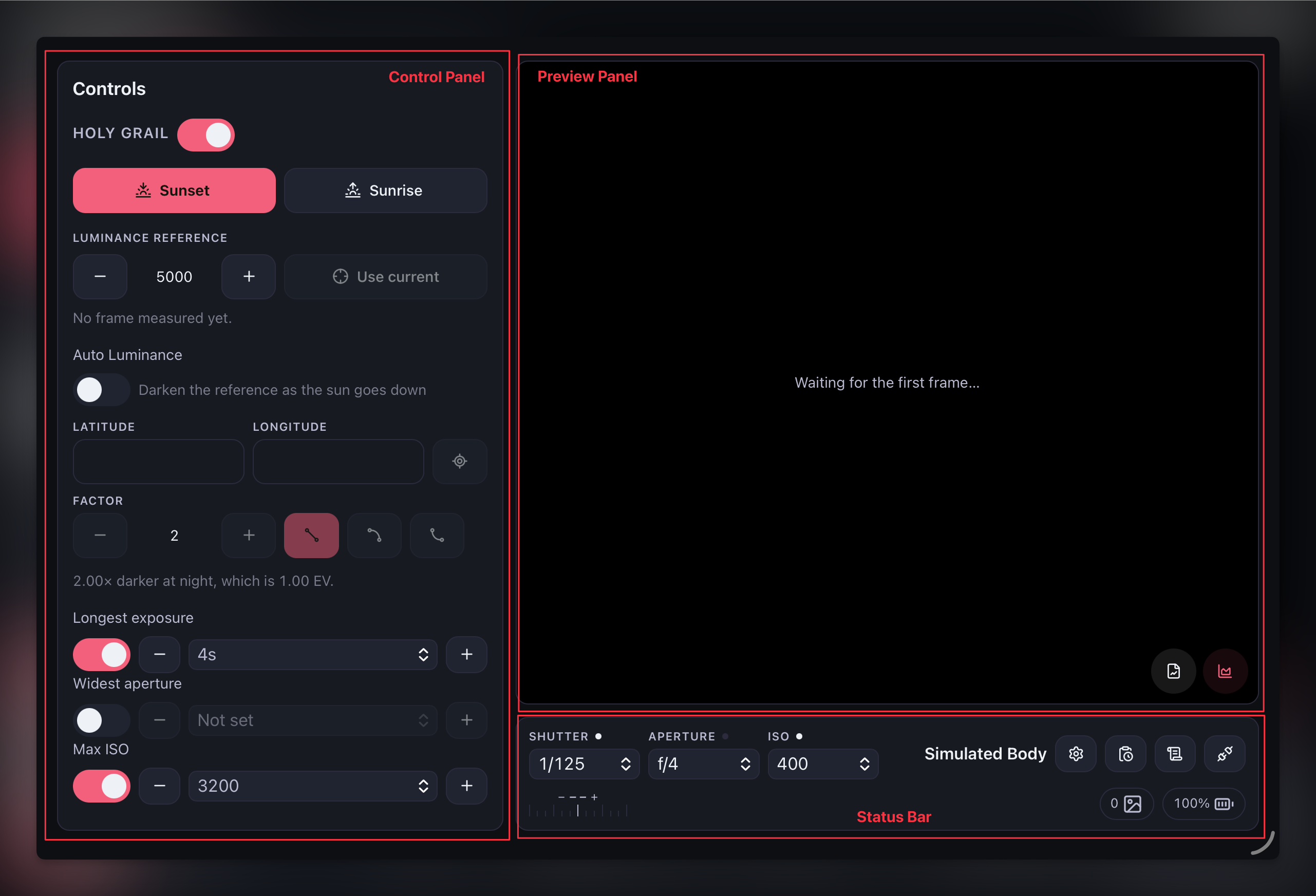
After successfully connecting a camera, you'll be redirected to the app interface. It's divided into three sections.
- Control Panel: Settings for time-lapse are configured here
- Preview Panel: The camera's JPG thumbnails are displayed here
- Status Bar: Current camera status and additional settings